- Instant email delivery
- Global licenses
- Secure checkout
- 24/7 customer support
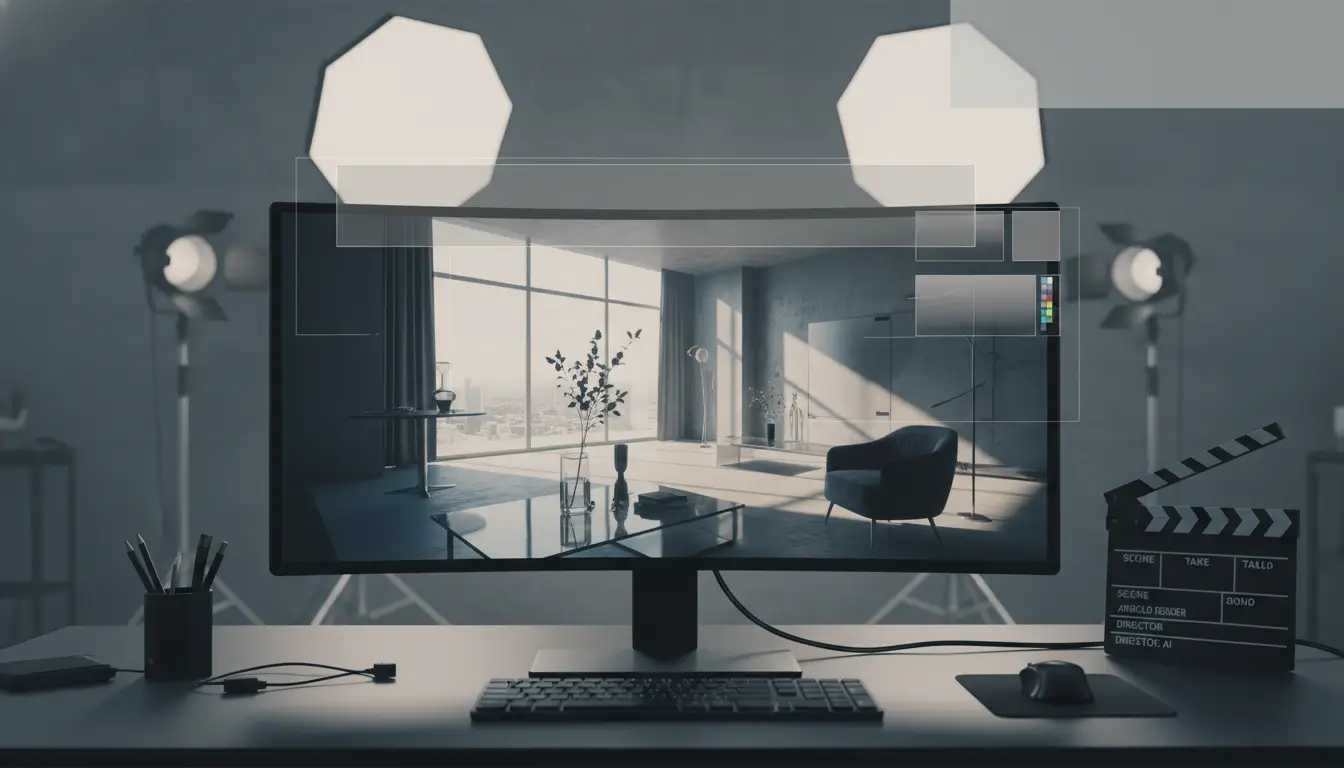
autodesk arnold is a production-proven, physically based renderer built for feature film, television and high-end animation. It prioritizes realistic lighting, accurate shading and predictable results when scenes become complex — heavy geometry, large numbers of lights, volumetrics and dense hair or fur. Arnold’s Monte Carlo path-tracing approach yields consistent, unbiased imagery that simplifies look development and reduces surprise in final frames, which is why studios rely on it for VFX and animation pipelines.
Designed to integrate into established workflows, Arnold supports adaptive sampling, multiple AOVs, robust denoising and comprehensive material models (including subsurface scattering and advanced volume scattering). It scales to render farms and supports both interactive look-dev via IPR and batch rendering for final frames. For studios seeking tools and licensing tailored to media production, see the Autodesk Media & Entertainment offering for related products and bundles. For official product details and updates, refer to the Autodesk website.
At its core Arnold is about predictability and artist control: physically plausible light transport, predictable noise behavior and straightforward AOVs that integrate into compositing. The renderer handles heavy instancing and large memory footprints gracefully, letting teams iterate on complex shots without constantly reworking lighting or shaders. Its combination of CPU and GPU options gives flexibility for look development and final-frame throughput, while native integrations with common DCCs keep artist feedback loops tight. For studios focused on cinematic quality and dependable pipeline behavior, Arnold remains a practical choice.
autodesk arnold offers unbiased path tracing, advanced ray tracing, adaptive sampling and a broad set of production-ready shaders and lights to achieve photoreal results. Built for artists and studios, Arnold scales to heavy geometry, hair, volumes and instancing while keeping predictable memory use and stable convergence. Explore related Autodesk tools on our Autodesk products page.
At its core Arnold uses unbiased path tracing with importance sampling and physically-based BSDFs, delivering globally consistent lighting and accurate indirect illumination. Adaptive sampling and robust denoisers let artists reduce noise while keeping render times predictable; progressive sampling makes look development fast. Arnold’s shader library covers layered materials, SSS, hair and volume scattering; coupled with flexible AOVs and light filters this enables fine-grained compositing. The renderer is optimized for large datasets through instancing, procedurals and tiled memory management, plus explicit support for hair and volumetrics so complex characters and environments render efficiently. Arnold runs on CPU and GPU backends with consistent results across both. Its extensible API and plugin ecosystem integrate with major DCCs and render farms, enabling production-scaled batch rendering, automated AOV workflows, Cryptomatte support and industry-standard color management. For full specifications and downloads see Arnold on Autodesk.
Autodesk Arnold provides production-proven, physically based rendering with highly accurate global illumination and path-traced light transport. Its renderer handles dense and sparse volumetrics (smoke, fog, clouds) with robust multiple scattering and heterogeneous media support, while built-in denoising and adaptive sampling speed up interactivity without compromising detail. Arnold exposes modern shader workflows—Open Shading Language (OSL) and node-based shaders—plus extensive AOV (arbitrary output variable) support for layered compositing, Cryptomatte IDs, and custom beauty passes. It also supports hair and fur, subsurface scattering, and memory-efficient displacement for very large scenes.
Designed for studio pipelines, Arnold integrates cleanly with DCCs and render managers, and its AOVs simplify final comp and color grading. Learn more about its place in the ecosystem on the Autodesk Media & Entertainment hub and the Autodesk official site.
autodesk arnold is built as a physically based Monte Carlo path tracer that emphasizes predictability and image fidelity. At its core Arnold traces many light paths per pixel and uses multiple importance sampling to reduce variance from both lights and BRDFs, producing unbiased results that converge cleanly as samples increase. The renderer combines robust sampling strategies with adaptive sampling and denoising to balance render time against perceptual noise, letting artists choose consistent quality targets across simple and extremely complex scenes.
Memory efficiency and stability are equally central. Arnold uses efficient BVH traversal, instancing, and texture streaming to limit peak memory usage while keeping throughput high. It supports out-of-core assets and pragmatic fallbacks so very large scenes remain stable rather than failing unpredictably. Deterministic seeding, careful ray scheduling, and conservative error handling further prioritize reproducible renders and predictable performance across different hardware and scene scales.
For users who want to explore integrations and tooling around Autodesk rendering products, see the Autodesk product catalog. For official technical reference and updates, visit the Autodesk official site.
Arnold’s technical architecture centers on extensible shading and lightweight, threaded execution. Importance sampling, multiple importance sampling, and Russian roulette path termination together yield efficient transport estimation. Shaders are evaluated lazily and with packed data layouts to reduce cache thrashing, while instancing and procedurals minimize geometry memory overhead. On modern configurations Arnold can stream textures, cache geometry, and schedule ray work in queues to maximize parallelism without blowing memory budgets. These design choices result in an engine that behaves predictably as scene complexity scales, giving artists consistent convergence and reliable performance tuning.
autodesk arnold is built to sit at the center of modern VFX and animation workflows, providing artists and technical directors with consistent, production-proven rendering across major DCCs and pipeline tools. Its native plugins for Maya, 3ds Max, Houdini and Katana, combined with a robust command-line renderer and batch options, let studios standardize look development and final renders without forcing changes to artist tools or file formats.
Key integration points include an extensible C/C++ and Python API for automation, support for the USD scene description and Hydra for interactive lookdev, and efficient support for ASS/Procedural delegates that keep heavy geometry and procedural content out of DCC scenes until render time. That reduces memory overhead and makes distributed rendering and cloud bursting straightforward.
For studios evaluating toolchains, Arnold’s pipeline hooks — scene translators, render layers/collections, AOV management, and render farm controls — make it simple to slot into shot-oriented pipelines and conform to asset/versioning systems. For more on how Arnold fits into media pipelines and Autodesk’s creative offerings, see the Autodesk Media & Entertainment overview.
The Arnold SDK and its Python bindings enable custom shaders, procedural nodes and automation scripts that integrate with asset databases, scheduler APIs and compositing pipelines. Integrators commonly use Arnold’s ASS file export and USD export paths to interchange scenes between DCCs and farm tools, while its Hydra delegate gives interactive previews inside USD-based viewers. Arnold also exposes hooks for AOVs, cryptomatte, and metadata so lookdev results carry through to compositing and review systems. For reference materials and product specifics, consult the Autodesk official site.
Autodesk Arnold integrates cleanly into major content-creation apps used in VFX and animation studios. Common hosts include Autodesk Maya, Houdini, 3ds Max, Cinema 4D and Katana, with native support for USD and procedural shading workflows so render pipelines remain flexible and scriptable.
In practice, Arnold’s designers-focused toolset and robust API let you plug rendering into asset-pipeline stages—from look development in Maya to heavy-duty lighting in Katana—while preserving scene fidelity and USD layering. For teams managing broader media toolsets, see the Autodesk Media & Entertainment resources for deployment guidance.
Whether you’re standardizing renders across a studio or building custom procedural passes, Arnold’s support for distributed rendering, AOVs, and renderer-level shading nodes helps keep production predictable and performant. For product and platform details, visit the Autodesk website.
autodesk arnold is built from the ground up for high-performance, multi-threaded rendering and to handle very large memory footprints. It parallelizes ray tracing across CPU cores efficiently, uses smart memory management for massive textures and geometry, and supports instancing to keep scene memory costs down when populating crowds or dense vegetation. Artists working with hair, volumes and complex shading networks will see consistent scaling as scenes grow: adaptive sampling and importance-driven ray strategies prioritize render time where it matters, while progressive and batch modes let teams choose iteration speed versus final quality.
For production pipelines, Arnold’s architecture simplifies distributing work across machines and balancing GPU and CPU resources where GPU acceleration is available. Out-of-core texture streaming, tiled image caches, and efficient volume handling reduce the need to sacrifice detail, and denoising tools shorten iteration cycles without compromising fidelity. If you manage a studio or pipeline, integrating Arnold with established render management and asset workflows ensures predictable performance at scale — learn more through the Autodesk Media & Entertainment overview for how Arnold fits into larger pipelines.
Choosing between CPU and GPU modes is about trade-offs: GPU rendering gives fast interactive feedback for look development, while CPU rendering offers larger addressable memory and often handles the heaviest hair, volumetric and texture-heavy shots more robustly. Arnold supports both where applicable, so a common approach is to use GPU for iteration and offload final frames to CPU nodes for consistency. Monitor memory footprints, enable out-of-core streaming when needed, and profile scenes to identify shading or geometry hotspots. For guidance and downloads, consult the Autodesk site for the latest recommendations and hardware guidance.
autodesk arnold is built to scale from a single workstation to large render farms, letting studios accelerate delivery of high-resolution frames and long sequences without compromising quality. Its renderer is thread-efficient and supports robust AOVs and denoising, which reduces per-frame render time when combined with distributed resources.
Studios can leverage license pooling and render managers to distribute buckets or whole-frame jobs across on-premises nodes and cloud instances. Best practices include using checkpointed jobs for long sequences, balancing memory-heavy scene elements across nodes, and enabling adaptive sampling to focus compute on complex pixels. For teams already in the Autodesk ecosystem, pairing Arnold with production tools from the Autodesk Media & Entertainment line simplifies pipeline integration. For setup guidance and licensing details, consult the Autodesk resources to match node counts and license types to your throughput targets.
autodesk arnold is offered with flexible licensing aimed at single artists, collaborative teams and larger studios. Licenses are delivered through Autodesk’s subscription model, and core releases are accompanied by regular maintenance updates and targeted hotfixes to keep render stability and host integration current. Versions are maintained to ensure compatibility with major host applications and pipeline tools; Autodesk publishes release notes and compatibility matrices to help teams plan upgrades without disrupting production.
For most users, monthly or annual subscriptions cover software access plus maintenance updates during the subscription period. Enterprise customers can extend that with volume agreements, priority support, and deployment assistance from Autodesk or certified partners. Training, workflow optimization and on-site or remote implementation services are available through Autodesk partners—see the Autodesk Media & Entertainment collection for related tools and resources.
Operational best practices include tracking release notes before upgrading, staging new builds in a test environment, and leveraging partner-led training for studio-wide rollouts. When evaluating support levels, consider response SLAs, access to hotfix channels, and whether you need customized integration work. For official downloads, licensing portals and detailed support articles, consult the Autodesk website.
Licensing generally breaks down into single-user subscriptions for independent artists, named-seat or floating licenses for teams, and tailored enterprise agreements for studios requiring centralized management and extended support. Subscriptions include access to ongoing maintenance releases for the duration of the term; upgrades beyond that term require renewal. For studios, certified Autodesk partners can provide deployment planning, bulk licensing discounts, and training programs to shorten ramp-up time and reduce technical debt. Choose the tier that matches your pipeline scale and support expectations to ensure predictable updates and reliable production timelines.
autodesk arnold offers flexible licensing to suit artists, small studios and large render farms. Typical options include monthly or annual subscription plans, node-locked licenses for dedicated workstations, and floating (network) licenses that let multiple users share a pool. For studios that run heavy offline renders, floating licenses and render-farm token licensing simplify scaling across many nodes.
Cloud and on-premise render compatibility is well supported: you can attach node-locked or floating seats to cloud instances or integrate with farm managers. When choosing, consider concurrency, burst rendering needs, and whether predictable OPEX (subscriptions) or CAPEX (perpetual-like models through resellers) fits your budget.
For integration and media-specific bundles see the Autodesk M&E collection, and for official licensing policies visit the Autodesk official site.
Beginners can get a smooth introduction to modern rendering by starting with official documentation, step‑by‑step tutorials and curated sample scenes that demonstrate core Arnold workflows and industry best practices. Official manuals and release notes explain the renderer’s key concepts—lights, shaders, sampling, AOVs and denoising—while tutorial projects guide you through camera setup, look development and render optimization. Downloadable example scenes are especially useful: inspect production setups, tweak parameters and learn why certain choices reduce noise or speed up render times. If you work inside Autodesk’s ecosystem, check the Media & Entertainment product pages for integration notes and related tools.
Community forums and artist groups are invaluable for real‑world tips and troubleshooting. Search forum threads for common performance bottlenecks, shader recipes and quick fixes contributed by experienced users. Structured video courses and workshops — from concise deep dives to comprehensive pipeline classes — provide curated learning paths and assignments that reinforce concepts.
Practical habits shorten the learning curve: follow a single tutorial end‑to‑end, then recreate the same shot with different assets; save incremental scene versions; compare render stats after each change. Pair official examples with forum feedback and targeted video lessons to adopt studio conventions faster. When in doubt, consult the Autodesk website for authoritative guidance and downloads.
Start by reading the beginner sections of the official Arnold documentation and opening sample scenes to see practical node setups. Follow one concise tutorial to complete a full look‑development cycle — modeling, shading, lighting and final render — then reproduce the result on your own assets. Use community threads for troubleshooting and to discover optimized settings for production renders. Track your progress by saving versions and notes on what changes improved render time or visual quality. Aim for mastery of core topics: lights, physically based shaders, sampling and render AOVs, then move to pipeline integration with host apps. Also experiment with denoising and exposure workflows to understand cost‑quality tradeoffs in production. Join an artist forum to share renders and get critique. Hands‑on practice combined with curated video lessons accelerates retention and helps you adopt studio best practices.
If you’re learning autodesk arnold, official guides on the Autodesk website, developer docs, and community tutorials cover topics from basic shading to production rendering pipelines. Expect focused walkthroughs on shader authoring, AOV setups, light linking, hair and volumetrics, and render optimization for both CPU and GPU workflows. Start with the developer pages for API snippets and scripting examples, then review pipeline case studies that demonstrate lookdev, color management, and batch rendering strategies used in feature projects. The Media & Entertainment overview provides context on how Arnold integrates with common DCCs and studio toolchains (Autodesk Media & Entertainment overview). Complement reading with community-shot breakdowns and reusable scene files; they’re invaluable for solving production issues fast. For authoritative reference and updates, consult the Autodesk documentation portal (Autodesk documentation portal) and maintain a personal snippet library of shaders and render presets to streamline handoffs into production.



 Autodesk
 Design Softwares
 CorelDraw
 Affinity V2
 Microsoft & Windows
 Windows
 Microsoft 365